
Feature
Professional invoices, standalone or from a quote.
Create a branded, professional invoice from an accepted quote, import a quote from another tool, or start from scratch. Line items, pricing, and payment instructions flow automatically. No formatting, no spreadsheets.
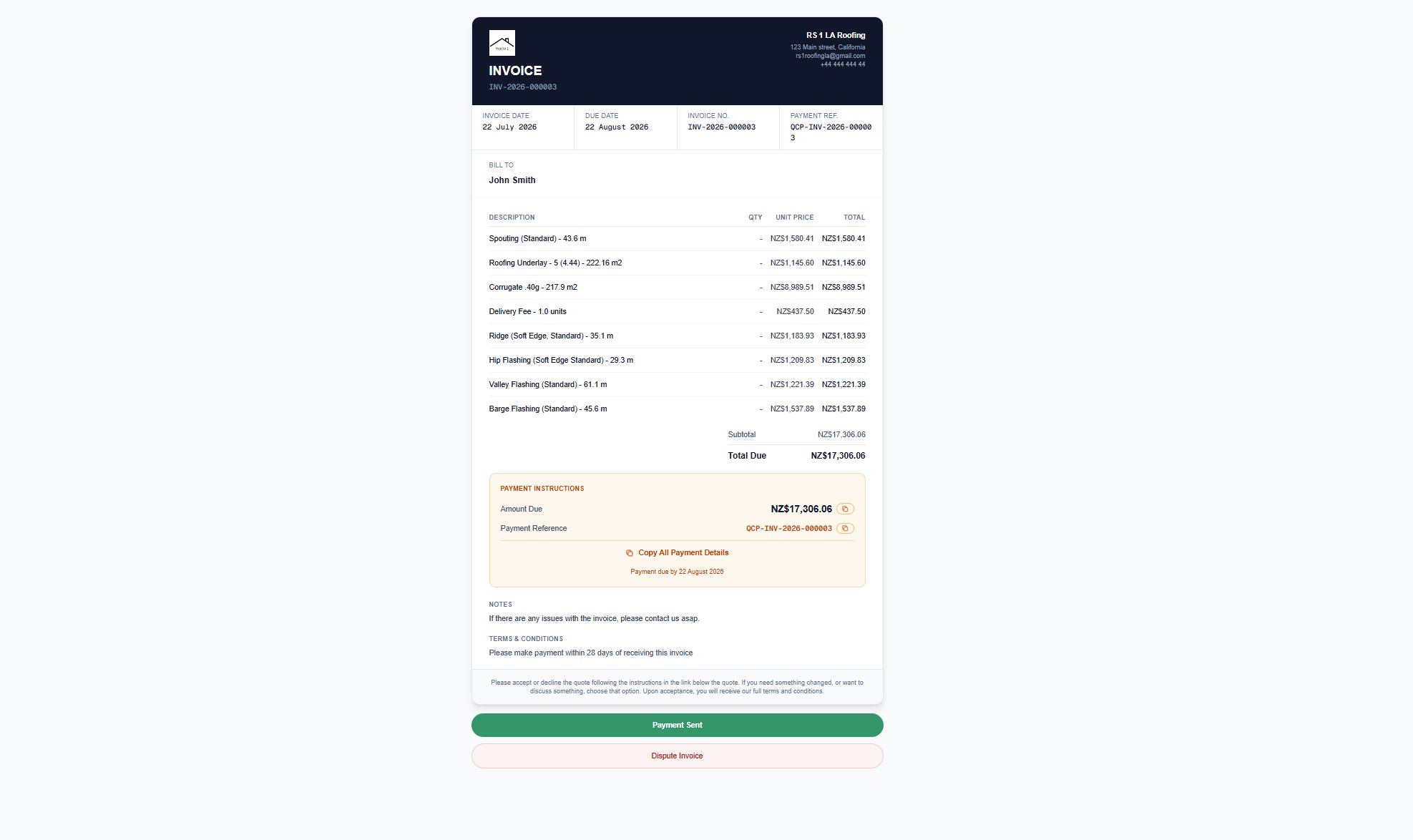
Three ways to start
From an accepted quote, import a quote from elsewhere, or create a blank invoice from scratch. The tool works standalone.
Payment instructions panel
Amount due, payment reference, and due date in a highlighted panel. One-click copy for customers.
Customer actions
Customers can mark payment as sent or dispute the invoice. QuoteCore+ does not process payments - it tracks status so both parties stay informed.
What is invoicing in QuoteCore+?
Invoicing is a standalone tool. You can generate an invoice from an accepted quote in QuoteCore+, import a quote from another tool, or create a blank invoice from scratch. However you start, the result is a branded, professional invoice document with line items, totals, and payment instructions.
Every invoice includes a payment instructions panel with the amount due, payment reference, and due date. Customers can copy payment details with one click, mark payment as sent, or dispute the invoice. You see the status of every invoice without chasing emails.
How it works
Start from a quote or from scratch
Generate an invoice from an accepted quote in QuoteCore+, import a quote from another tool, or create a blank invoice from scratch. Three ways in, same professional result.
Line items flow automatically
When starting from a quote, line items, descriptions, quantities, and pricing flow directly from the quote's Smart Components™. No re-entry, no formatting.
Payment instructions included
Every invoice includes a payment instructions panel with amount due, payment reference, and due date. Customers copy details with one click.
Send and track
Send the invoice to your customer. They can mark payment as sent or dispute the invoice. You see the status of every invoice without chasing emails.
Who it's for
Contractors who want to send professional invoices without manually formatting them. Whether you quote in QuoteCore+ or elsewhere, the invoicing tool gives you a clean, branded document with payment tracking.
What problem it solves
Manual invoice formatting
Creating invoices from quote data means re-entering line items, quantities, and prices. The invoice builder does this automatically.
Missing payment details
Invoices without clear payment instructions lead to delayed payments. Every QuoteCore+ invoice includes a payment panel with all the details.
No invoice tracking
When invoices are sent as PDFs, you don't know if the customer has seen them or acted on them. QuoteCore+ tracks status automatically.
Supported inputs and outputs
Inputs
- - Accepted quote with line items
- - Customer and business details
- - Payment instructions (bank details, terms)
- - Custom line items (add manually)
- - Blank invoice (start from scratch)
Outputs
- - Professional invoice with line items
- - Payment panel with bank details
- - Invoice status tracking (sent, viewed, paid)
- - Printable invoice document
Worked example: invoicing an accepted quote
A contractor accepts a $4,850 roofing quote:
- 1. Open the accepted quote: The quote has 6 line items - tiles, ridge, underlay, nails, labour, and scaffold hire.
- 2. Generate invoice: Click "Create invoice". All line items, quantities, and prices pull through automatically.
- 3. Add payment details: Bank account and payment terms (14 days) are added to the invoice.
- 4. Send: The customer receives the invoice by email. The system tracks when they view it.
What it does not do
No payment processing
The invoice includes payment instructions, but QuoteCore+ does not process card or bank payments. Customers pay via bank transfer using the details on the invoice.
No automatic accounting sync
Invoices are stored in QuoteCore+ and are not continuously synchronised with accounting software. However, quotes can be exported to Xero as draft invoices with line items via Send to App → Xero.
When it may not be the right fit
You need full accounting software
If you need VAT/GST returns, profit and loss reports, or balance sheets, use dedicated accounting software. QuoteCore+ handles the invoice creation and tracking, not the full accounting cycle.
Frequently asked questions
Do I need a quote to create an invoice?
No. You can generate an invoice from an accepted quote in QuoteCore+, import a quote from another tool, or create a blank invoice from scratch. The invoicing tool works standalone.
Do invoices include payment instructions?
Yes. Every invoice includes a payment instructions panel with the amount due, payment reference, and due date. Customers can copy payment details with one click.
Can customers confirm payment or dispute an invoice online?
Yes. Invoices include action buttons for customers to mark payment as sent or dispute the invoice. QuoteCore+ does not process payments - customers pay using the included payment instructions (such as bank details) and mark payment as sent. This gives both parties a clear record of invoice status.
Related
Digital roof takeoff
Measure the job. The takeoff flows into the quote, and the quote flows into the invoice.
Smart Components™
Components carry pricing through from takeoff to quote to invoice.
Material ordering
Order materials from suppliers and invoice customers from the same data.
Free invoice generator
Create a professional invoice for free, no signup required.
Pricing
Compare plans and start a 14-day free trial.
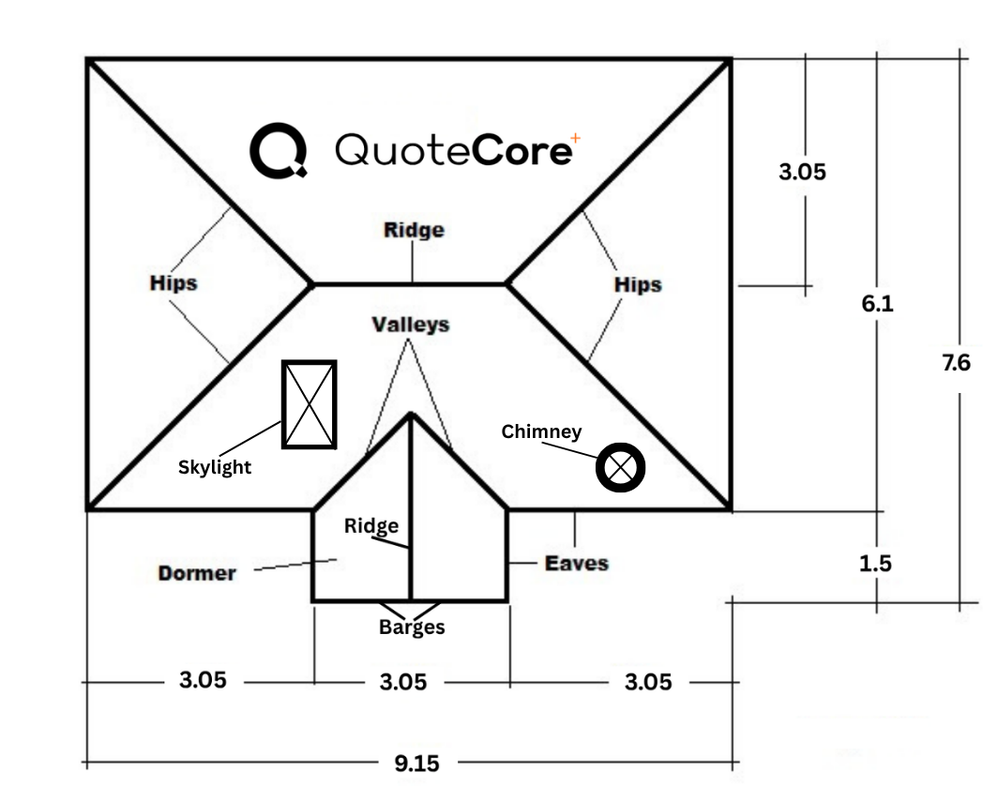 Interactive demo
Try our real system in 30 seconds or less
The same takeoff workstation that's in the app. No sign-in needed.